

Your team
Add teammates so orders, designs and payments reach the right person.
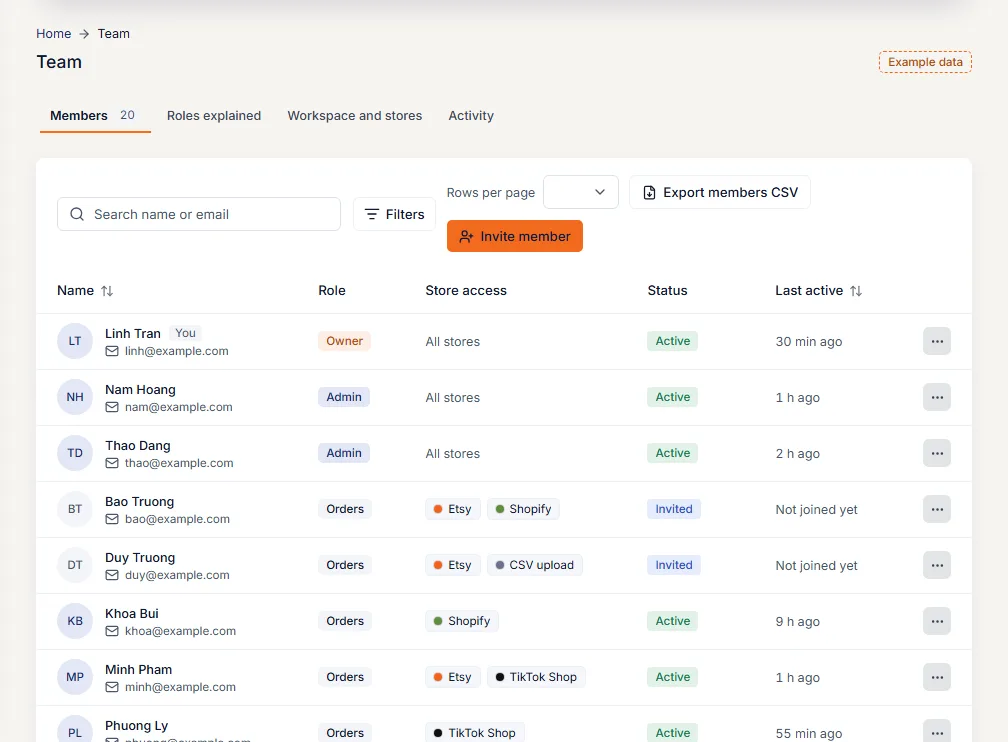
See your team
Section titled “See your team”Open Team. The Members tab lists each person with their Role, Store access, Status and Last active. Other tabs are Roles explained, Workspace and stores and Activity.
Add a member
Section titled “Add a member”When invites are on, the steps are:
- Select Invite member.
- Enter the Email.
- Pick a Role. See Roles and permissions.
- Choose Store access: All stores, or only some stores.
- Add a Message if you like, then select Send invite.
The person gets an email with a link. The invite stays open for 7 days.
Store access
Section titled “Store access”A person with only some stores sees orders, imports and labels from those stores and nothing else.
Assign orders
Section titled “Assign orders”On Orders, use Assign to member so everyone knows who handles an order.
Transfer ownership
Section titled “Transfer ownership”Only the owner can make another member the owner. You stay on as Admin.
Only the owner and admins manage the team.